Ergonomic Tips for a Healthier Workspace: Advice from a Canada-Based Chiropractic Clinic


Understanding the Basics of Ergonomics
Creating a healthier workspace begins with understanding the basics of ergonomics. Ergonomics is the science of designing a workspace that fits the user's needs, minimizing discomfort and reducing the risk of injury. In a country like Canada, where remote work is increasingly common, it's crucial to adapt our home offices to be as ergonomic as possible.
Key components of an ergonomic workspace include the arrangement of your desk, chair, computer, and other equipment. The goal is to ensure that your body is in a natural position, promoting better posture and reducing strain.
Adjusting Your Chair and Desk
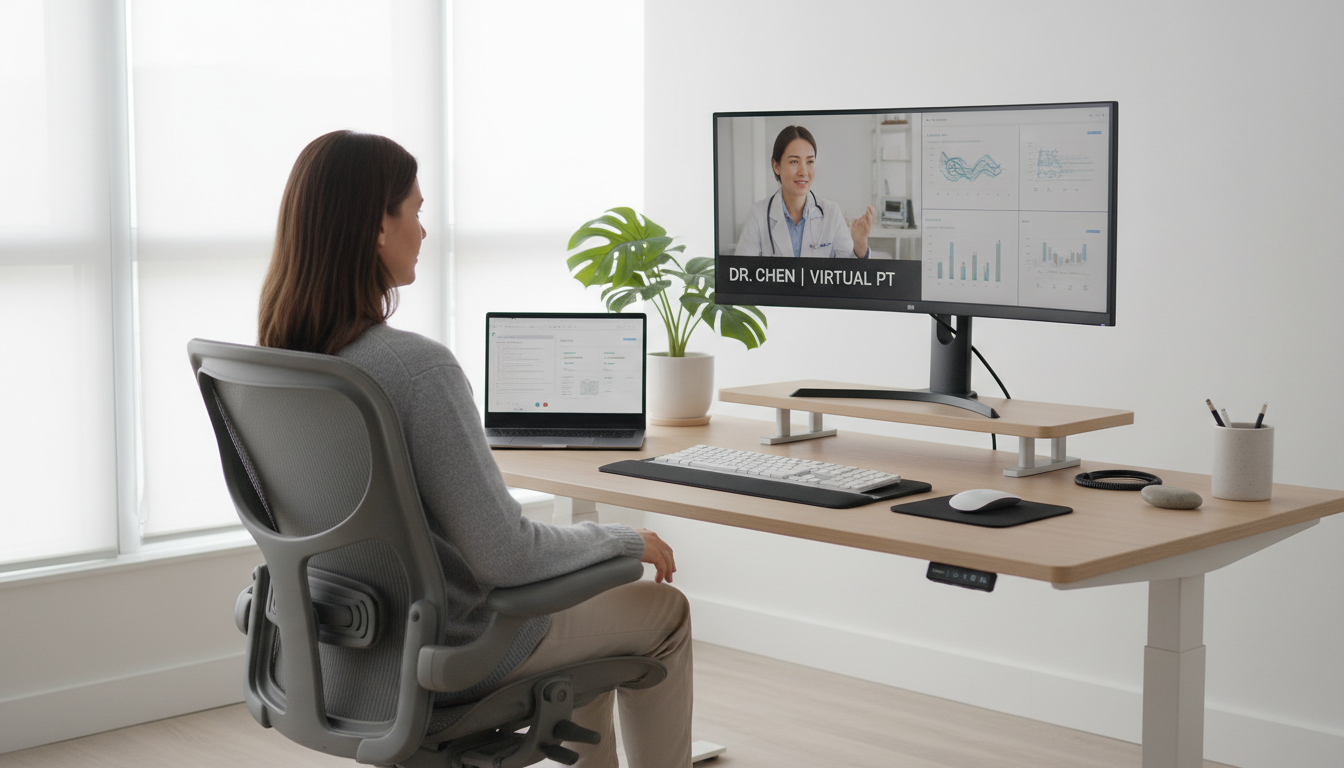
One of the first steps in creating an ergonomic workspace is to adjust your chair and desk. Your chair should support your lower back and allow you to sit with your feet flat on the ground. If your feet don’t reach the floor, consider using a footrest.
Your desk should be at a height where your elbows are at a 90-degree angle when typing. This helps to reduce strain on your shoulders and wrists. If possible, invest in a desk that allows you to alternate between sitting and standing throughout the day.

Positioning Your Computer Monitor
The position of your computer monitor can significantly affect your posture. It should be directly in front of you, about an arm’s length away. The top of the screen should be at or just below eye level. This setup helps to prevent neck strain and encourages a natural head position.
Keyboard and Mouse Placement
Proper placement of your keyboard and mouse is essential for preventing wrist strain. Keep them close enough to your body so your arms remain relaxed. Your wrists should be in a neutral position, not bent upwards or downwards.
Consider using an ergonomic keyboard and mouse, which are designed to support a more natural hand position. These tools can make a significant difference in reducing the risk of repetitive strain injuries.

Incorporating Movement into Your Day
Even with the best ergonomic setup, sitting for long periods can be detrimental to your health. It's important to incorporate regular movement into your day. Stand up and stretch every 30 minutes, take short walks, or do simple exercises to keep your body active.
- Set a timer to remind yourself to move.
- Try desk exercises or yoga stretches.
- Consider walking meetings or phone calls.
Seeking Professional Guidance
If you're experiencing persistent discomfort, it might be time to consult with a professional. A chiropractic clinic can provide personalized advice based on your specific needs and conditions. They can help identify issues with your current setup and suggest improvements.
Chiropractors are skilled in addressing musculoskeletal issues and can offer treatments to relieve pain and improve posture. Many clinics in Canada offer ergonomic assessments as part of their services.

Conclusion: Embracing a Healthier Work Environment
By implementing these ergonomic tips, you can create a healthier and more comfortable workspace. Remember that small adjustments can lead to significant improvements in your overall well-being. Prioritizing ergonomics is an investment in your health and productivity.
For personalized advice, don't hesitate to reach out to a local chiropractic clinic. They can provide valuable insights and help you on your journey to a pain-free work environment.